-
Twitter- New blog posting: Grand Theft Auto 4 - http://tinyurl.com/yen2r37
- Ben: Server broken, even more now after trying to restart Apache, will give a reboot if it doesn't come good.
- New blog posting: Downgrade D-Link DIR-655 1.3x Firmware - http://tinyurl.com/y8jhkqm
- New blog posting: D-Link DIR-655 1.33NA Firmware final released - http://tinyurl.com/yh232yn
- New blog posting: D-Link DIR-655 Firmware 1.33b01NA - http://tinyurl.com/yjrhsga
- New blog posting: Nginx and HTML5 Video in Firefox - http://tinyurl.com/ygbwbgf
- Ben: Not off to a good start, the server is down for now due to an issue at the datacenter
- Ben: Provided the tests go well the site should go offline tonight for a few hours due to moving servers.
-
Recent Comments-
Rey: Just curious John, why would SIP VoIP calls suffer if DNS relay is enabled? How and in what way?
What I know is that SIP VoIP calls will suffer if the Stateful Packet Inspection (SPI) and SIP-ALG are enabled on Firewall settings, but not if the DNS Relay is enabled.
Thanks!
-
John Chow: Unchecked should be the default. A lot of issues occur with having DNS relay enabled on D-Link routers. Especially SIP VoIP calls suffer when DNS relay is enabled.
-
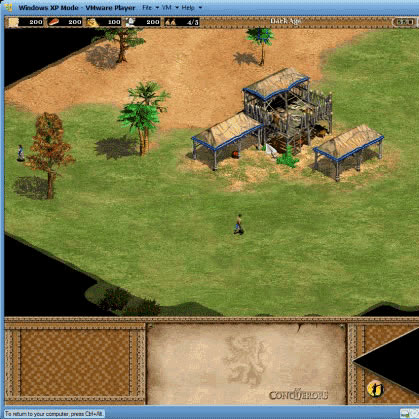
Ben: The safe mode version of the game was running, it's only needed for that game.
-
anthony: you ran the vmware xp in safemode or the computer you were running the vmware on was in safemode?
-
Ben: You must install printer drivers on all computers, if there aren't any for your operating system then you're out of luck.
-
Pelle: Do i need to install printer drivers on all my computers using the shareport printer? Seems like there are no working printer drivers (Canon LBP 2900) on my laptop running under Win 7 64-bit version. Are there any solutions?
-
Rob: Question - rather than have one device operate from 3 computers, can you operate 3 devices (laser, inkjet and storage) from one computer using a usb 2.0 4 point hub (for example) on the router?
-
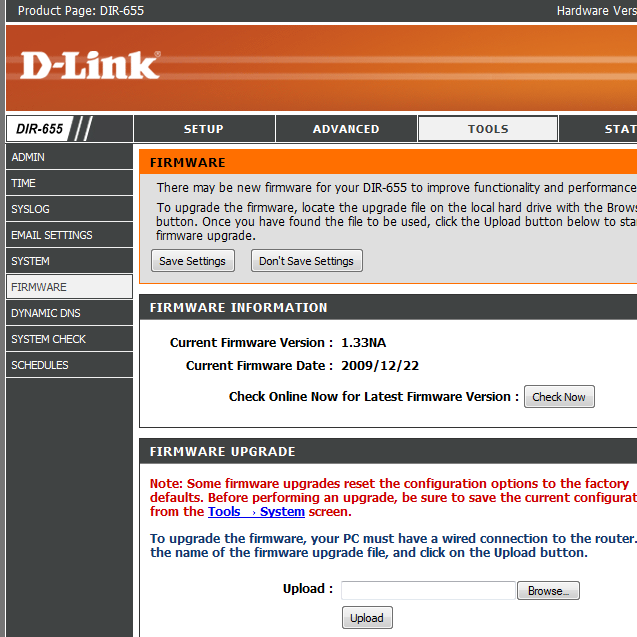
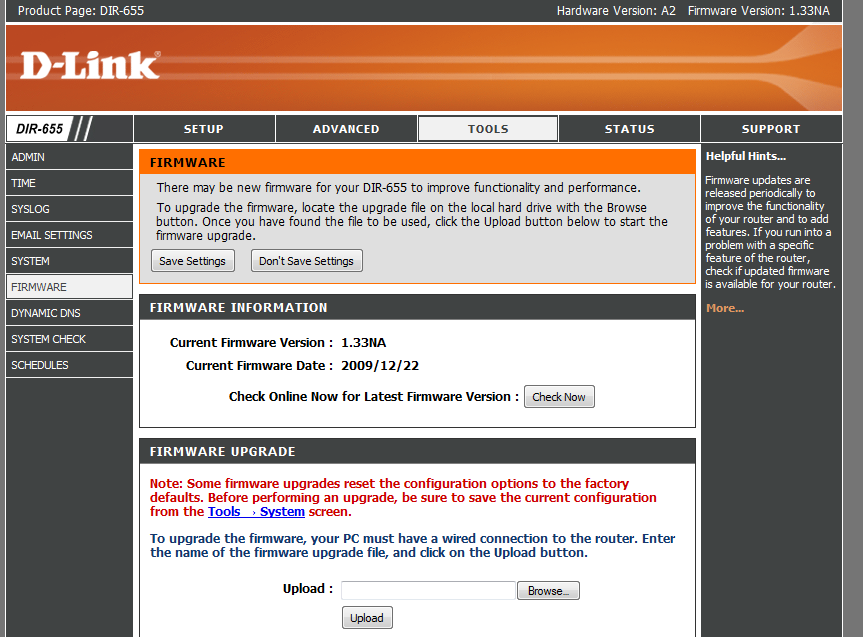
Rey: K! Thanks Ben! I still wonder why it is showing unchecked after upgrading the F/W to 1.33NA.
-
Rey: Just curious John, why would SIP VoIP calls suffer if DNS relay is enabled? How and in what way?
What I know is that SIP VoIP calls will suffer if the Stateful Packet Inspection (SPI) and SIP-ALG are enabled on Firewall settings, but not if the DNS Relay is enabled.
Thanks!
-
Random Posts- Dicing with death (of a Laptop Hard Drive)
- 5 underrated Applications that I insist you try
- Simple workaround for the Windows 7 Web Folders bug
- Windows 7 Conexant Sound Card Issue
- Windows x64 plagued with BS news stories
- Ribbon UI in Windows 7 M3
- Firefox crashes, Wordpress flash uploader and new host
- Servage Referral Widget 1.21 released
Simple workaround for the Windows 7 Web Folders bug
Windows Vista had some issues creating and opening Web Folders (WebDAV) that was solved by a patch introduced by Microsoft 2 years ago but it seems Windows 7 has it’s own issues with web folders.
Some users report slow connections, or degrading connection speeds over time, whereas other users (like me) can’t access the shares at all, this guide will alleviate both of those issues.
Continue reading “Simple workaround for the Windows 7 Web Folders bug” »
D-Link DIR-655 1.32NA Firmware Final
Update 16th January 2010: 1.33b01NA has been released.
Update: D-Link has released a new beta firmware for the DIR-655 here, it ONLY fixes *a* SharePort issue.
This is old news but I thought it would be best to point out that the final firmware version of 1.32 is out, here is the change log:
Firmware: 1.32NA
Date: 07/20/091. Fix when disable DHCP server and enable DHCP server, LAN PC cannot get IP.
2. Fix using wireless client to configure Access Control rules, cause DUT reboot.
3. Fix UPnP bug.
4. Disable CAPTCHA by default
5. Fixed QRS issue, can’t set up wireless setting.
6. Fixed Router DHCP IP range issue.
7. Fixed WPS UI Show Error warning message.
8. Fix potential security leak with CAPTCHA.
9. Fix USB LED issue about Shareport.
10.Fix Shareport HP932C with Wins 7 issue
11. Fix if set more than 8 Trigger or Firewall port in Application Rules. It will show Warning message.
12. Fix bug: When QRS set wan type of rt to DHCP, the rt will not set Primary and second DNS.Note: This firmware does not allow downgrading to pre-1.3x.
So far it appears that the DNS Relay lockup bug has not been fixed, SharePort is still acting up for users and in some cases even worse, some people report smoother file transfers however.
Download here:
D-Link DIR-655 Firmware 1.32NA
Using Symbolic Links in Vista/Windows 7 for Google Chrome User Data
Recently I have been able to shed Firefox completely and start using Google Chrome, mainly due to it’s simple and speedy nature, but you can read all about that in my previous quick review of it when it first came out here.
I have recently purchased an OCZ Vertex SSD, the problem with Solid State Drives at the moment is their limited writes and while the MTBF is high enough to not expect to reach the limit before it becomes obselete it is still enough to make you self conscious about what gets to write to the drive.
Web browsers are arguably the most common abusers of file reads/writes on hard drives, the cache is constantly being written and overwritten as you browse and SSD users often look for a way to keep a browser’s cache off their SSD. With Firefox it is as easy as using Firefox Portable, it’s also quite handy to use if you move from computer to computer, but Google Chrome doesn’t have this feature yet, though a Chromium based browser SRWare Iron has a portable version.
There is a simple solution for keeping Chrome’s cache and other user data on another drive and that is the symbolic linking feature found in Windows Vista and Windows 7.
Move the User Data folder from the C:\Users\{username}\AppData\Local\Google\Chrome directory and place it on the other drive in whatever folder you want to call it, I simply put mine in D:\Chrome Profile
The next step is open up Command Prompt as an Administrator (right click, then click “Run as Administrator”) then type in the following command
mklink /J “where you want the symlink and what you want to call it” “where the real folder is”
For Example:
mklink /J “C:\Users\{username}\AppData\Local\Google\Chrome\User Data” “D:\Chrome Profile\User Data”
In this case the symlink name must be called User Data.
The /J command tells it to make a Directory Junction, in other words make windows applications believe that the folder is in the same spot as the symlink, you will notice that if you head to the chrome AppData folder on the SSD that there will be a folder with a shortcut icon in it called User Data, if you double click on it all your user data files with be inside and unlike opening up a normal shortcut, or soft symlink, the files in the folder will all appear to be on the SSD in the correct folder.
If you open up Google Chrome it will open as if nothing happened.
Update 22nd August 2009: I have done the same thing with Firefox’s ‘Mozilla’ profile directory, the only problem is if you load Thunderbird Portable it will for some reason (and somehow) delete your ‘Mozilla’ junction for Firefox, the solution for now is to set up Thunderbird with the ‘Thunderbird’ folder in the same fashion and not use Thunderbird Portable for this function.
D-Link DIR-655 BETA01 Firmware 1.32NA
Update 16th January 2010: 1.33b01NA has been released.
Update 1: A new build has been released of this beta, this one has been listed with the only change being CAPTCHA is set to disabled by default, however it is 2KB larger so perhaps they have changed something else. I have updated download links below.
Update 2: The final release of this firmware has been posted, check below for the download link, click here to read about it.
Update 3: D-Link has released a new beta firmware for the DIR-655 here, it ONLY fixes *a* SharePort issue.
D-Link have just uploaded a new beta firmware release for the DIR-655, this fixes issues with SharePort and fixes that CAPTCHA security leak that could cause the router to give out the admin password. I have not tested it personally so I am unaware of any issues however others at the D-Link forums have experienced no problems so far. There are also no reports of this fixing the lockup issues users of the 1.31 firmware were experiencing but it isn’t mentioned in the release notes, we will know for sure though in a few days.
Update: Some users are reporting great success with the new firmware and SharePort, lets hope that continues, also there has been a report from a Mac user stating that after upgrading the firmware the admin page was unable to be used in Firefox or Safari on OSX so keep that in mind those that don’t have a Windows PC just in case.
Release Notes:
Firmware: 1.32 (Beta 01)1. Fix potential security leak with CAPTCHA.
2. Fix USB LED issue aboutShareport.
3. Update chklst.txt
4. Fix SharePort issue
Again this is beta firmware so it comes with the added disclaimer of possibly damaging your router, you can download the firmware below, I have made a mirror hosted here so if they take it down it will still be available here.
Download the final build here:
D-Link DIR-655 Firmware 1.32NA
D-Link DIR-655 1.3x Firmware Lockups
Update 16th January 2010: 1.33b01NA has been released.
Update: Firmware 1.32NA Build 09 BETA fixes this for most people.
A few people have been experiencing trouble with their DIR-655 routers locking up after about 3-4 days with web browsing slowly going downhill until the lockup during that time, I experienced the same thing.
I realised that I had SPI enabled, which in the past I haven’t had enabled, I disabled it and so far I haven’t had any lockups, it appears the SPI is overloading my router after a few days which to me is surprising for such a supposedly powerful router.
If you experience the lockups try disabling SPI, the other more common solution to do is to disable DNS relay, I’m not sure why this would be causing the router to lockup but it appears to be something to do with the latest firmware, hopefully they fix this in future firmwares.
New TRIM version for OCZ Vertex SSDs
Tony over at the OCZ forums has released version 0525 of the TRIM utility designed restore the write performance of the Vertex series drives by resetting the write blocks.
This new version appears to work correctly for me, the previous version 0422 didn’t do anything when run even though it said it completed successfully and the original version corrupted many files on my drive.
It was run using Windows 7 x64 RC (7100) using IDE mode with the intel IDE driver loaded.
You can view the forum thread and find the file here.
D-Link SharePort new release 1.10 and DIR-655 1.30 Firmware
Update 16th January 2010: 1.33b01NA has been released.
Update 20th August 2009: All users having issues with SharePort, check out this post for the latest information.
Update 1: The 1.30 firmware now has a beta tag and is available at: ftp://ftp.dlink.com/Gateway/dir655/Firmware/dir655_firmware_130_beta.zip. Before downloading please read below as this firmware isn’t like the others:
Update 2: Firmware 1.31 is available from the D-Link website now, you can get it here.
Update 3: Beta firmware 1.32NA is available now, it fixes a SharePort issue, read about it and download here.
Update 4: Firmware 1.32NA FINAL is available now, read about it and download here.
Update 5: D-Link has released a new beta firmware for the DIR-655 here, it ONLY fixes *a* SharePort issue.
It appears that D-Link have updated the firmware of the DIR-655 router to v1.30, however it has been pulled from their servers just after release, if it becomes available again it should be at ftp://ftp.dlink.com/Gateway/dir655/Firmware/dir655_firmware_130.zip which is the link they had before it was pulled. The most likely reason for pulling the release is due to that fact that it cannot be downgraded once it is installed, coupled with the fact that it removed wireless B support makes it a bit of a gamble.
According to a D-Link forum admin:
The 1.30 Firmware has been taken down from the support site. It may do a little too much at once.
Removing 802.11b is not a bad thing for most people.
Conditions that make a firmware unable to be downgraded are not always avoidable.
Distributing a firmware that removed 802.11b and also will not allow the end-user to downgrade said firmware, could result in customer service or RMA issues neither the customer, seller, or manufacture desire.Granted from what I have seen, people are reading the release notes and the warnings about the firmware, but I am looking to be on the safe side as the user base with access to the code made change (not read).
It may go back up because the benefits to the majority are to great, but for now we just need too take a closer look at the release.
It is available to download on some sites and people who have installed it are finding it to be a good release, but I urge people not to try it just yet as D-Link may put a new version out soon that can be downgraded or has wireless B support.
Change Log:
Fix DHCP server issue.
Modify the turn from “Network USB” to “Shareport” in the option of “My USB Type is:”
Add Advanced DNS Service feature.
Add SecureSpot 2.0
Remove the 3G from GUI
Fix LLTD wrong icon in Vista.
Fix reboot issue when connecting to Internet
Add Graphical authentication to log-in page.
Removed 802.11b
This firmware can not downgraded to previous versions.
Guest Zone disable SharePort support (USB spec v1.05)
New SharePort support PC/Mac (Requires Utility Installed on PC or Mac to work)
Router time is not reset when factory reset.
Fix schedule end time error.
SharePort 1.10 for PC and now 1.01 for Mac OSX was released at the same time, the PC version has a lower version number than the previous 1.14 release but it is most likely a newer version.
Update: This appears to only work with the above 1.30 firmware.
Rumours that a new Windows 7 UI is yet to be unveiled
There have been rumous mainly started by Paul Thurrott at his Windows SuperSite here that Microsoft are keeping under wraps a new UI.
It doesn’t seem that possible this late in the game, sure if they have all the UI coding already in Windows 7 then there are less chances of bugs, but there are still UI bugs that would need testing, visibility/overlapping problems etc.
My theory is a new theme to distance itself from Vista, there are less chances of bugs and they can keep it secret much easier, however looking at how refined the theme is currently (provided it was carried over from Vista and there wasn’t much work to do anyway) it doesn’t look like they would have done all this refining if they had a new theme ready. For example, Windows XP Watercolor wasn’t that refined before they switched over to the much refined Luna, of course refining the current UI to such an extent creates doubt and that’s necessary for a major announcement to gain full surprise.
On second thoughts: Paul Thurrott supposedly already knows what the big announcement is, or at least some of it, so it’s possible he’s just spreading this to get site hits, I see nothing wrong with that.
Windows 7 Conexant Sound Card Issue
I am running the Windows 7 beta on my 4 year old Laptop, It’s not recommended but it does run well, using the Windows XP display and ethernet drivers it is a well functioning machine that doesn’t act much different from when it had Windows XP installed, however there is an odd issue with the sound card driver from Windows update that I will explain.